Roadmap
Where Natsura is heading
Leaving Early Access and how we will reach Natsura 1.0
Release 6 of 7. Use the left and right arrow keys to move between releases.
0.8Next(In progress)
The finished tree
Q4 2026
0.8 is about everything that sits on top of the skeleton, so a tree can go from seed to rigged export inside Natsura. The whole tree is meshed as one surface with real junctions and branch ends, bark is built from stacked surface and material layers, and leaves and clusters share one placement engine. Growing gets pruning with regrowth, a width model that conserves wood, and sag under weight, and the growth engine is substantially faster.
We listen closely to your feedback and requests, so please keep it coming. Based on your input, 0.9 and 1.0 will be filled out more completely.
Examples shipping alongside
- Mapping and Effector Zoo, showing every map and effector
- Feature Zoo, showing the new 0.8 features
- Leaves and Clusters Zoo, showing each leaf and cluster setup
- Assemblies Zoo, showing each way to bring in, rig and place assemblies
Documentation
- Meshing: junctions, branch ends, cross-sections and the new sweep
- Surfaces: surface layers, material layers and scattering
- Leaves and clusters: cutting leaves from an atlas, placing them, and turning them into instances
- Growing: pruning and regrowth, forks and buds, width and stiffness
- Shaping: effectors on the decorations, and the post-process stage on Simulate
- Mapping: the new shader-graph-style functions
- Environment: sun, sky and wind
- Node help for the nodes this work changes
- ShapingPlanned
Shaping without regrowing
Stiffness sets how far branches sag under their own weight, and wind stiffness how far they bend in the wind, and both update without regrowing the tree. Shape effectors reshape grown branches, and imported SpeedTree trees can be reshaped the same way.
- ShapingPlanned
Effectors and maps across the tree
Effector settings can be mapped per tip, and gravity works in every effector slot. Colour the tree by any attribute, or display a map to see it on its tree while you edit.
- GrowthPlanned
Pruning and regrowth
Prune branches by chance, with a delay for when the cuts happen and a seed to reroll them. Growth beyond a cut dies back, new growth can sprout from each cut, and a prune map comes with presets for the common cases.
- GrowthPlanned
Forks, buds and phyllotaxy
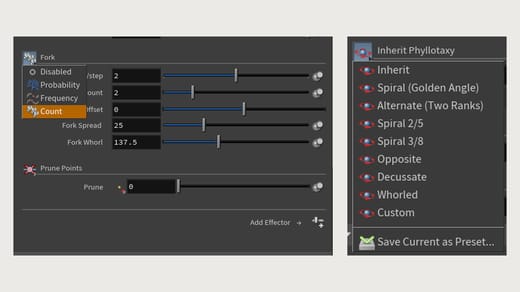
Forks trigger by probability, frequency or count, with an offset that holds back the first fork, and fork spread and whorl angle set how the new branches fan out. Crowded branches at a fork are pushed apart.
Buds are spaced by interval or count, and an interval below one places several buds per internode. Phyllotaxy has presets: spiral at the golden angle, alternate in two ranks, 2/5 and 3/8 spirals, opposite, decussate and whorled, or custom, and your own settings can be saved as a preset.
- GrowthPlanned
Width and open space
Width can taper from base to tip, be set directly, or follow a natural model that conserves wood through every fork. A new effector turns tips toward open space, and outputs how open each part of the tree is as a map.
- Trunks & meshingPlanned
Junction shaping
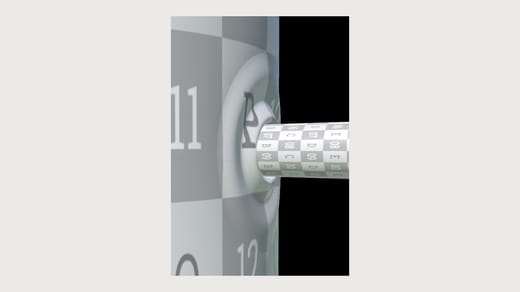
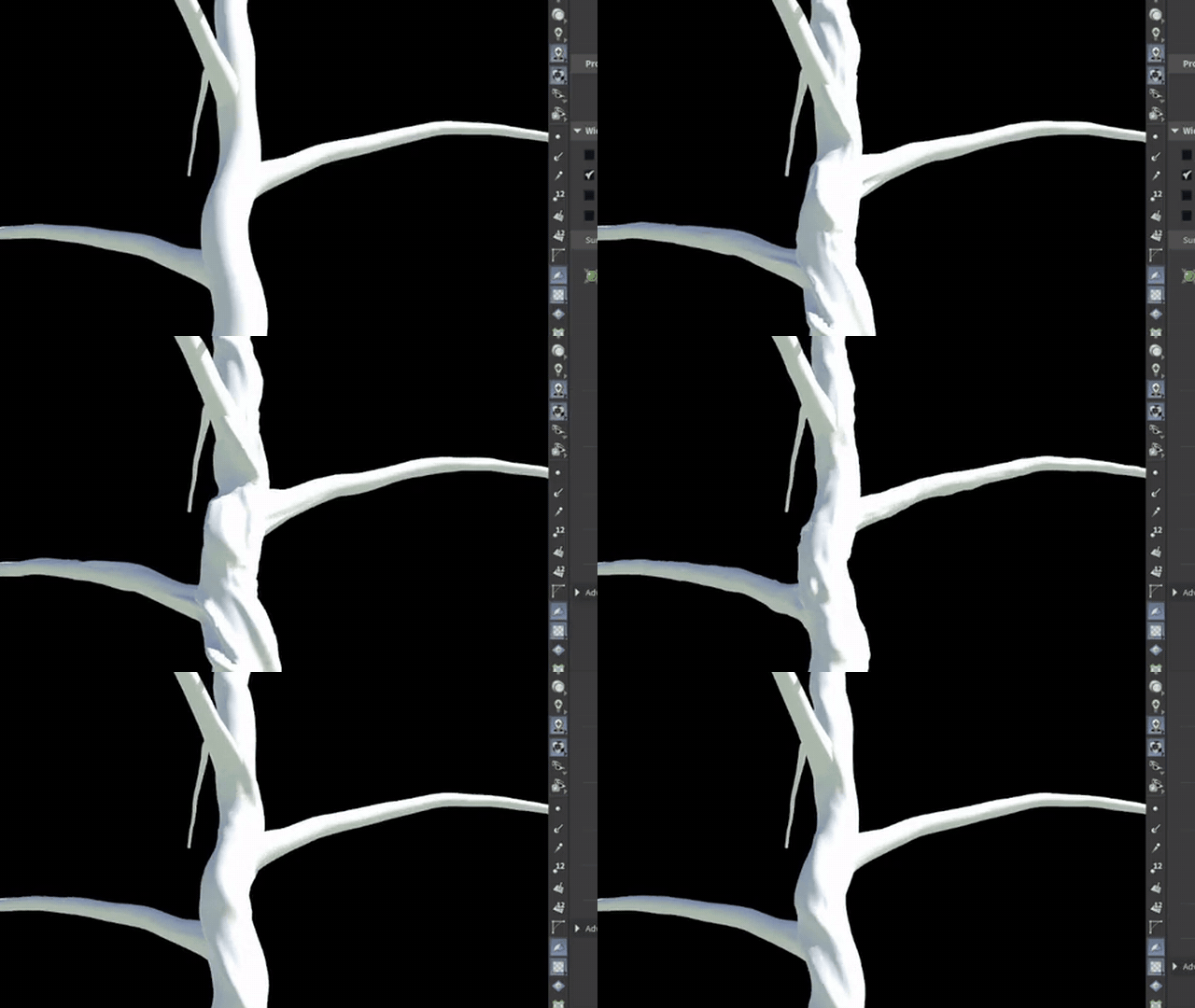
Every branch is stitched into its parent, so the tree comes out as one connected surface rather than intersecting tubes. Each junction is shaped from a library of authored junction shapes, blended by nearest match on branch angle, child-to-parent width ratio and whether the branch is dead: thin twigs sink into a socket, larger branches lift into a collar and flare, and heavy limbs carry extra wood underneath.
The flare spans from a ring on the parent's surface to a ring on the child. Overlapping junctions merge, with the largest outward push winning instead of a dent, and crotches between close branches fill with a web. The parent's UVs carry into the flare, so the bark pattern runs on into the branch, and footprint and crotch size are mappable.
- Trunks & meshingPlanned
Branch ends
Every branch ends in a cap: a living tip, a pruning cut, or a break with splinters, which can be hollow where the wood has decayed. Like the junctions, caps are chosen from a set of authored end shapes by the branch's size and decay, and their length and decay are mappable.
- Trunks & meshingPlanned
Any cross-section
A branch can take any closed outline as its cross-section: drawn as a curve, generated from lobes and ridges, or taken from a scan. New growth starts on a scanned trunk's exact outline, keeps its ribs, and eases toward round further up. One profile can blend into another along a branch, and a trunk can be built as a stack of profiles.
- Trunks & meshingPlanned
A new sweep
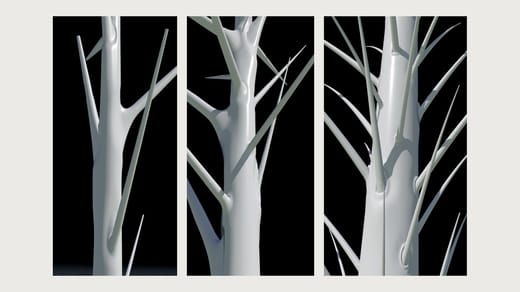
The sweep is rebuilt as a single pass over every strand in the tree. Rings are spaced by one step length in world units, so quads stay square and texel density stays constant from trunk to twig, and ring resolution scales with branch radius, so thin branches carry fewer edges.
Cross-sections are arbitrary closed profiles rather than circles. Any two profiles are resampled to match and interpolated along a strand, so a scanned or fluted section can transition into a round limb. UVs are parameterised by arc length along the strand and by perimeter around the profile, so texture scale holds on non-round sections. The cross-section also responds to load: it widens under heavy children and flattens between them.
- Trunks & meshingShipped in 0.7.1.0
Progressive sweep
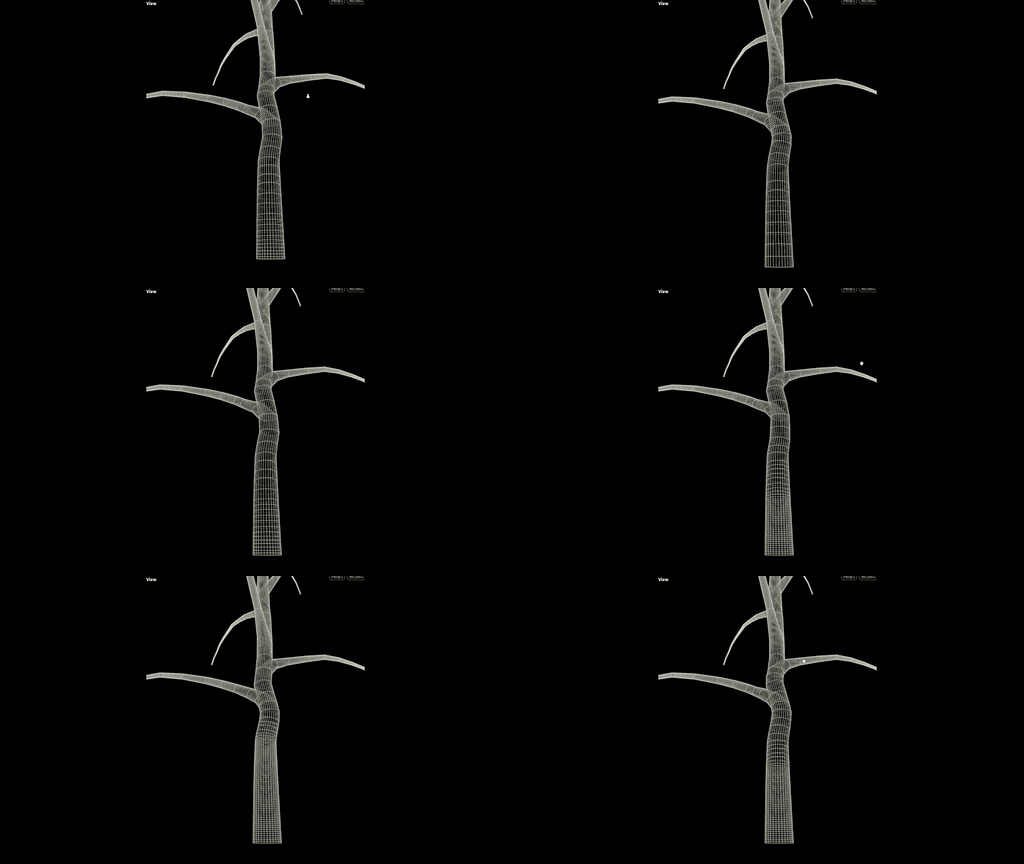
Surface Decoration sweeps each branch at a resolution that can change along its length. Density is mappable, so the trunk can be dense and the tips light. See Surface Decoration.
- Trunks & meshingShipped in 0.7.1.0
Surface Decoration shaping and effectors
Surface Decoration has been overhauled, and it has surface effectors, which allow you to use any effector to displace the surface. It also gained mappable width (smoothing, min, max, and scale), resampling of the strands before meshing, end caps, displacement, and separate U and V scale. Assembly Decoration got its own effector stack in the same build. See Surface Decoration.
- Trunks & meshingPlanned
Surface layers
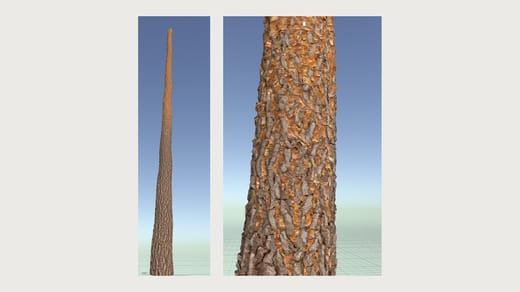
Build the bark as stacked layers, the way material layers stack in a shader: bark, the wood under rips, and moss or lichen on top. Each layer is placed by a property of the tree, such as age, width or height, with a soft border where it meets the layer below. Buildup layers add on top and erode layers cut in, and moss can settle into the low spots of the bark. Junctions and branch ends can each have a surface of their own.
- Materials & atlasesPlanned
Material layers
Each surface layer carries its own material: textures and shader settings in one place, filled from a single texture file by matching names. Layers blend into each other across the tree by the same properties that place them, textures can be baked to disk, and regions of an atlas can be named and tiled.
- Materials & atlasesShipped in 0.7.1.0
Material bindings
Materials come through on instanced parts, where before only the trunk arrived bound, and the material list updates itself before every export. See Nanite Skeletal Assemblies.
- Trunks & meshingPlanned
Scattering on the surface
Scatter decals and small geometry, such as knotholes, moss and splinters, over the trunk and branches. Placement covers the whole surface or runs in rows along a branch, spacing is mappable, and size and displacement scale with the branch. Decals cut the bark under them, avoid each other, and tuck their edges into the bark. Relief patterns such as ridges, plates and scales are generated in the tree's own coordinates, so they wrap around each branch.
- Trunks & meshingPlanned
Colour on the surface
Tint the trunk and branches with colour effectors, maps and ramps, and write masks that mark the junctions for shading in your engine.
- Foliage & instancingPlanned
Leaves from atlases and your own geometry
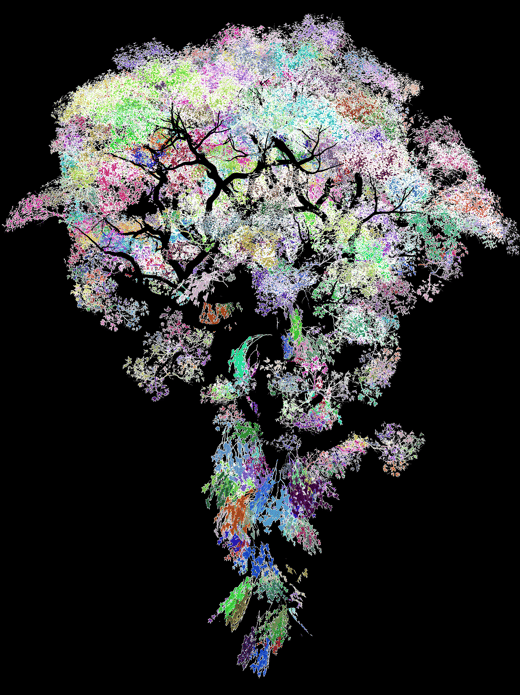
The atlas workflow is brought together into one place that cuts leaves from a texture sheet, and your own leaf geometry goes through the same steps. Each leaf gets a mesh, a midrib traced from its shape, a pivot, and joints to bend on. Midribs can be redrawn by hand, leaves can be scaled against a ruler, and each leaf can be tagged with its age and size.
- Foliage & instancingPlanned
One placement engine for leaves and clusters
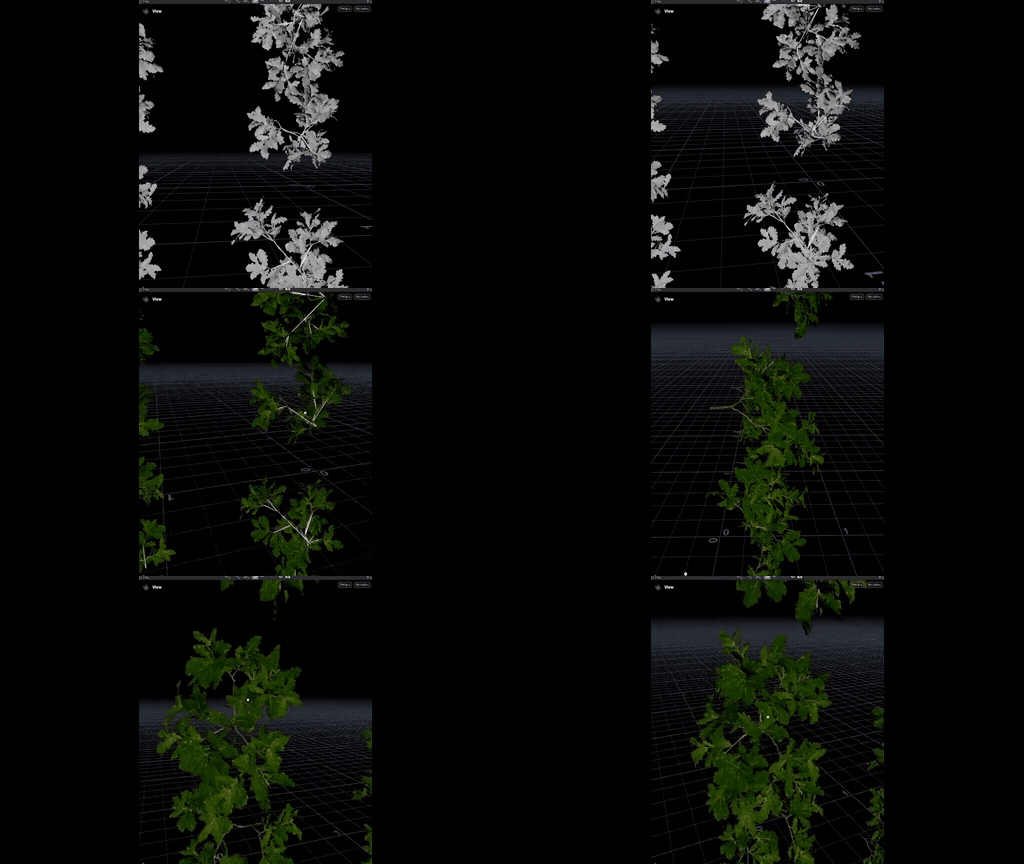
Leaves and clusters are placed by one shared engine, so every placement works for both. Leaves bend along their twig or stay rigid, sit along each twig, at its tip or at its junctions, and are picked by size and age. Placed leaves can be grouped by shape and turned into shared instances, so a tree for a game keeps a small set of unique leaf meshes.
- Foliage & instancingPlanned
Branches as reusable parts
Break a grown tree into branch modules, keep one of each kind, and place them on another tree, where they still sway in the wind. Plain geometry can be rigged into parts in the same way, and parts from a library can be fitted to a tree's own branches.
- Foliage & instancingShipped in 0.7.2.0
Clusters Decoration 2.0
Clusters Decoration 2.0 refactors the internal utilities and simplifies the interface, as groundwork for mapping and effectors. A set of clustering utilities lets you pick from existing libraries or regenerate the clustered parts. Clusters Decoration 1.0 stays, so older scenes keep working. See Clusters Decoration.
- Foliage & instancingExperimental as of 0.7.1.2
Merge Assemblies
Merge Assemblies combines several assembly libraries before the decorator, so one Assembly Decoration can draw on all of them. See Assembly Workflow.

- Foliage & instancingExperimental as of 0.7.2.0
Assembly Inspect
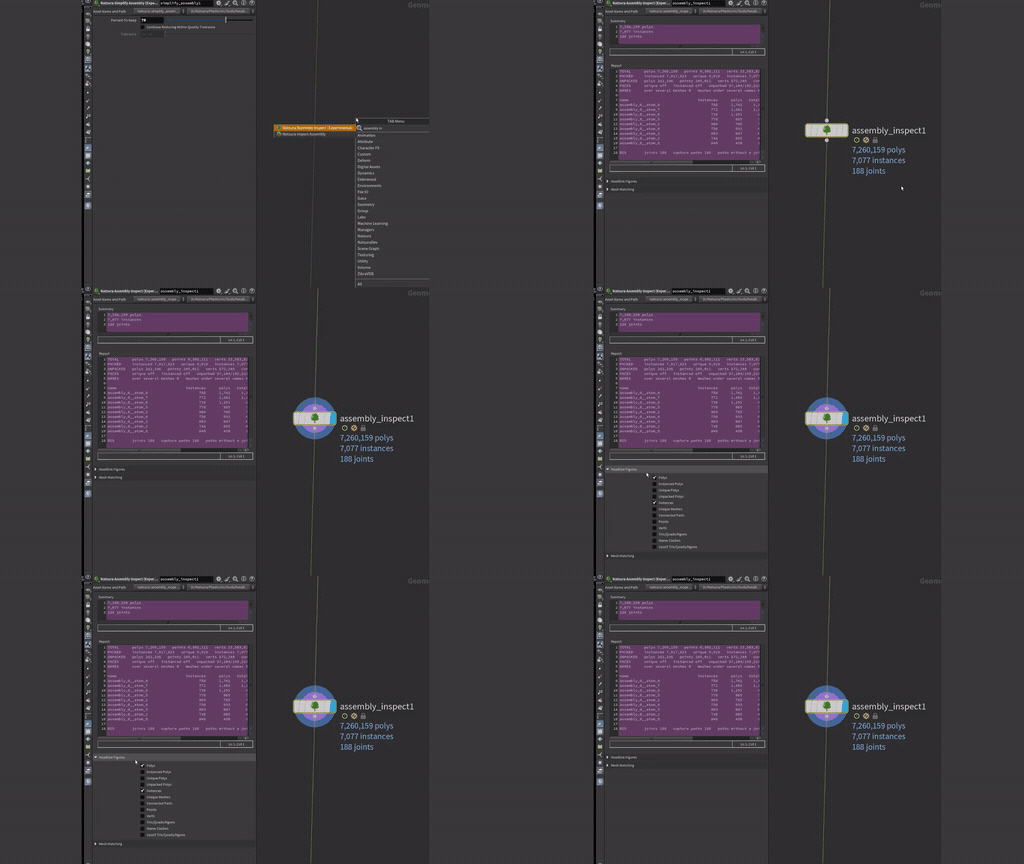
Assembly Inspect shows the polycount, instance count, joint count, and other useful data about an assembly. The assembly passes through unchanged. See Assembly Workflow.
- Foliage & instancingExperimental as of 0.7.2.0
Simplify Assembly
Simplify Assembly reduces an assembly's polycount. See Assembly Workflow.
- SimulationPlanned
Growing from any trunk
Start a tree from any trunk through one entry point: a scan, an imported assembly, or a procedural trunk built from a stack of profiles. The trunk's outline shapes the first ring of bark, the scan mesh passes through, and a multistem trunk grows from every stem.
- SimulationExperimental as of 0.7.1.0
Post-process stage on Simulate
A post-process stage in Simulate, run before the decorations: substeps with mappable segments, interpolation, and enhancement, with its own effector stack. Every decoration inherits the refined shape, so assemblies stay attached to their branches. See Simulate.

- SimulationPlanned
SpeedTree trees with their parts
Bring in a whole SpeedTree tree, not just its curves. Joints sit where each branch leaves its parent, wood is skinned up to a chosen branch order, smaller parts stay rigid, and repeated meshes, including rotated copies, become shared instances. The tree can then be reshaped or used to start a simulation.
- SimulationNew nodeExperimental as of 0.7.0.1
SpeedTree skeleton import
Bring in the curves of a tree exported from SpeedTree as USD, then grow on them, decorate them, and reshape them like a grown tree. Only the curves come in, not the branch geometry. See Drawing a Tree.
Status:Experimental, and still a bit rough.

- SimulationNew nodeExperimental as of 0.7.0.1
Drawing a skeleton by hand
Draw a tree's branches by hand with Houdini's Skeleton node and pass them through Custom Module, then grow on them, decorate them, and reshape them like a grown tree. See Drawing a Tree.
Status:Experimental, and still a bit rough.

- ShapingExperimental as of 0.7.1.0
Natsura Shape
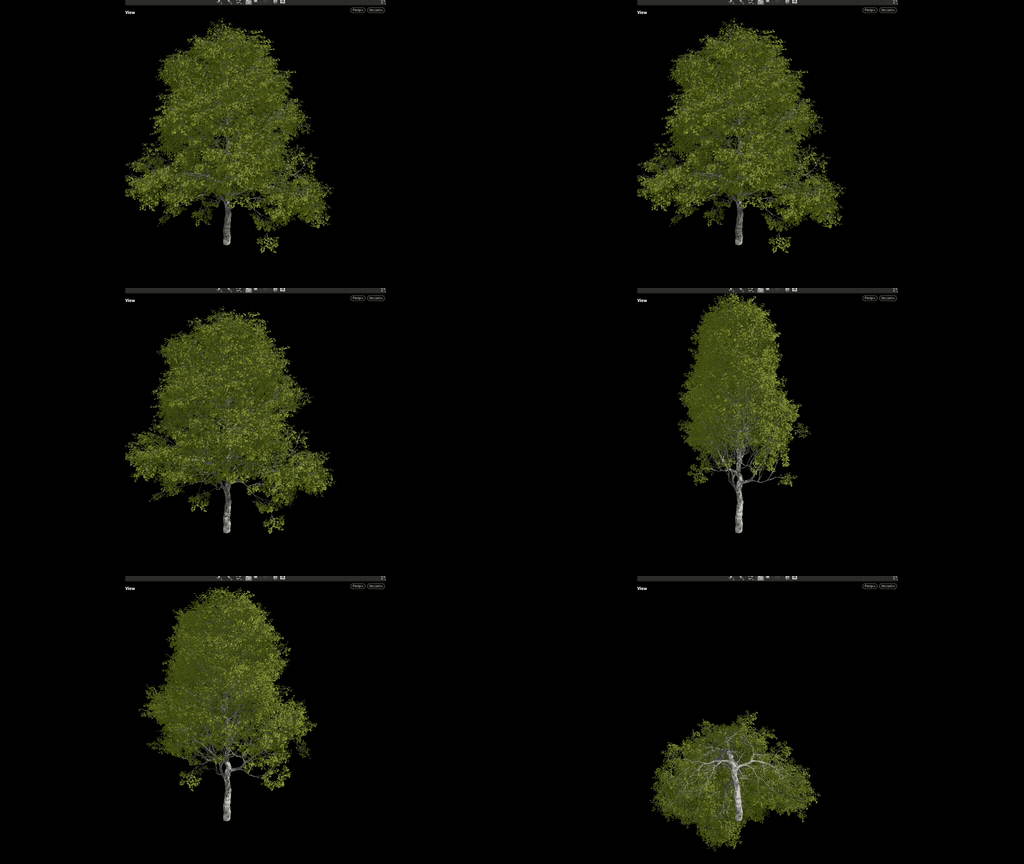
Shape reshapes a tree after it has grown, without simulating again. It deforms the rig and its geometry with a stack of effectors, so branches and leaves bend together. See Drawing a Tree.
- ShapingNew nodeExperimental as of 0.7.2.0
Shader-graph-style map nodes
Map nodes that work like the functions in a shader graph, so you can build a map without writing VEX. Map Remap is new, and Map Blend now has a Mask input and six more modes. See Mapping.
Status:The first nodes are in.
- ShapingExperimental as of 0.7.2.0
Map Remap and Map Wrangle
Map Remap remaps a value, and Map Wrangle lets you write a map in VEX, the same way as a custom effector. See Mapping.
- Export to UnrealPlanned
Sun, sky and wind in one place
Sun, sky and wind are set in one place. Gusts travel across the ground so neighbouring trees move together, thick wood moves little and twigs move most, and the export to Unreal reads the same wind you see in the viewport.
- Export to UnrealPlanned
Vertex colours and extra UV sets on export
The export writes vertex colours and extra UV sets with each part, so they reach Unreal, and materials with opacity import as Masked.
- USDShipped in 0.7.1.0
Batch export, with USD as layers
Export a whole library of trees at once, and import it into Unreal from one root file. Shared parts go in parts/, and each tree gets its own layer and wind file in assemblies/. See Nanite Skeletal Assemblies.
- Export to UnrealShipped in 0.7.2.0
Wind preview
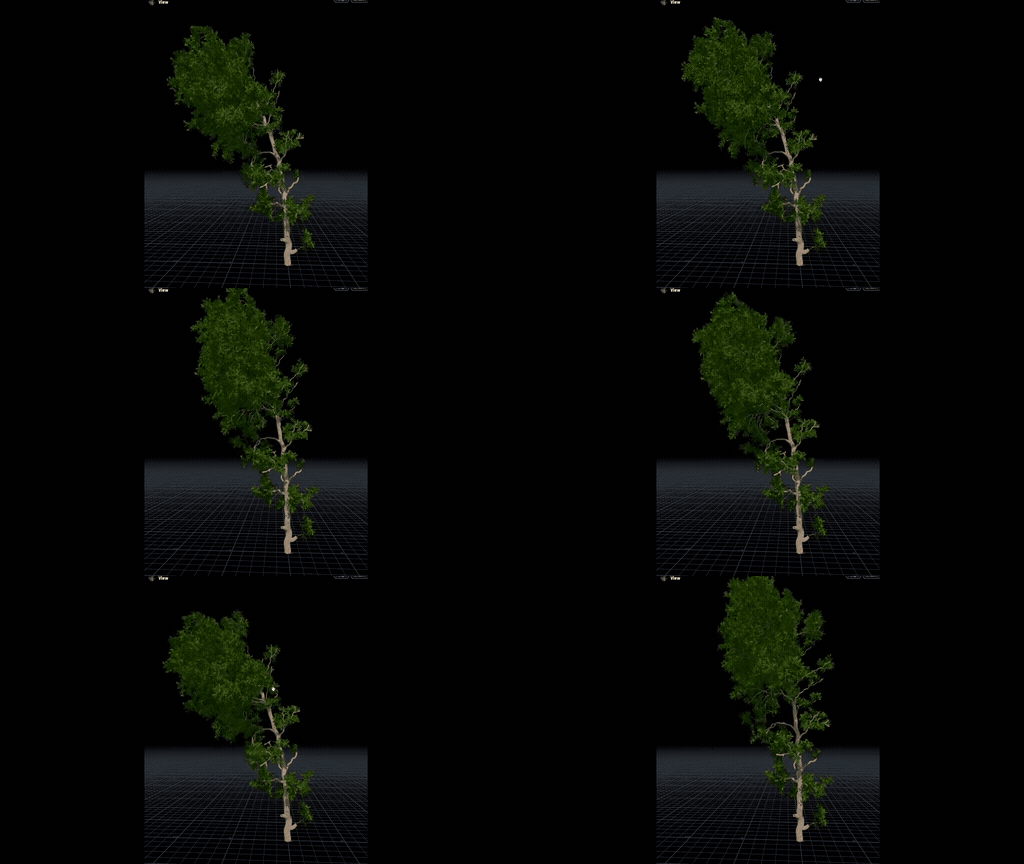
Assembly Resource, Rig to Assembly, and Simulate preview with wind, set from a wind selector on the display toolbar (Calm, Breeze, and Strong). The values live on Wind Environment, an experimental node.
- Export to UnrealShipped in 0.7.3.0
Wind Config by stiffness and branch width
You set Stiffness on each wind layer, and each joint's movement in Unreal comes from its stiffness and the width of its branch, so thin twigs move and thick limbs hold. Each layer is carved by width, by distance from the root, or by distance from the tips. See Wind Config.
- Export to UnrealShipped in 0.7.3.0
Export node rework
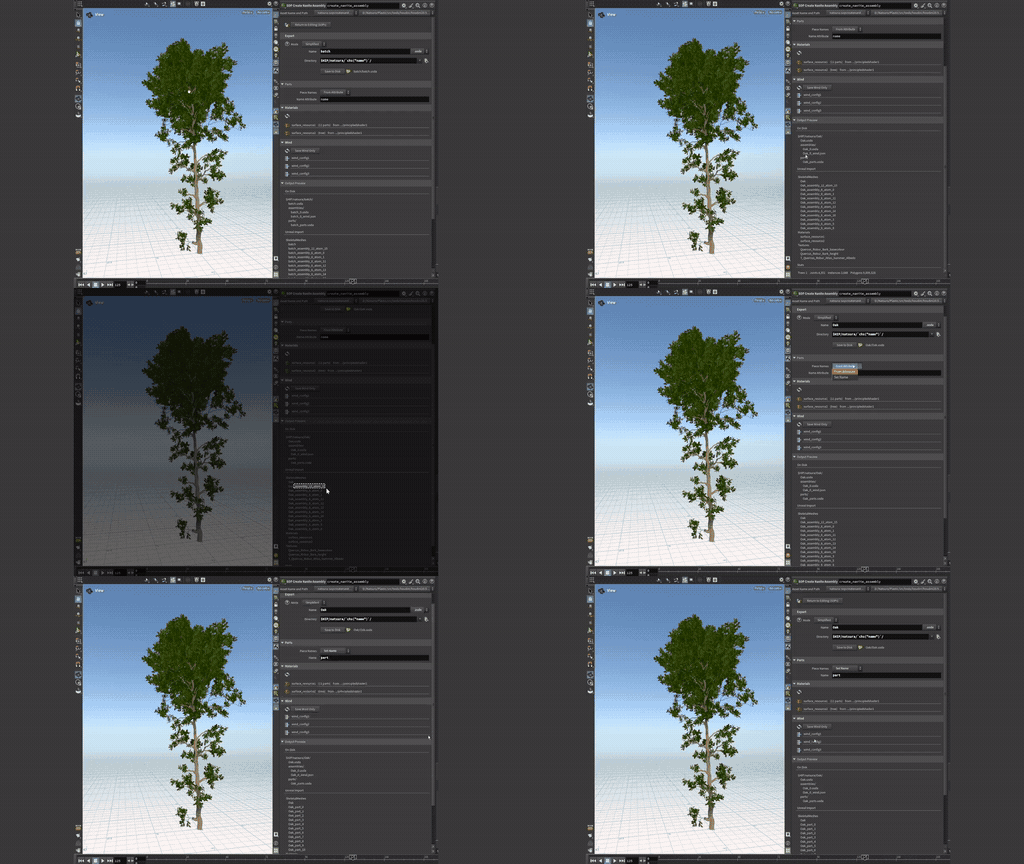
The export node has a Simplified mode for everyday exports, versioned folders and naming, and materials you can rename or link to ones already in Unreal. Save to Disk checks the export first, and bones now point along their branches, as Unreal's Dynamic Wind expects. See Export Unreal Nanite Assembly.
- InterfacePlanned
A toolbar in build order
The toolbar is grouped by the stage of the build, and N opens every tool at the mouse. Each input pin offers the tools that fit it, pins are coloured by data type, and a tool can be dropped onto a wire. Light presets are built in, wind presets follow the Beaufort scale, and your own presets can be saved.
- InterfaceShipped in 0.7.2.0
Project Browser
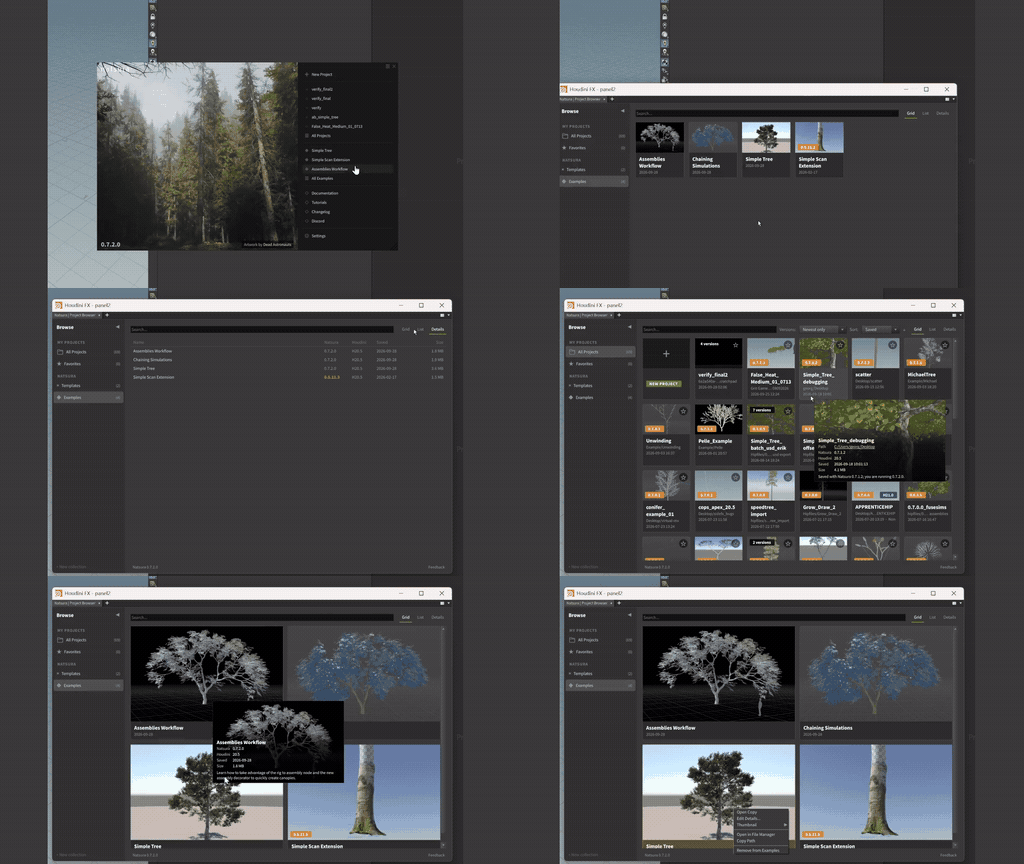
The Hub, Projects, and Examples panels are now the Project Browser, with collections, favourites, and project versions. Opening an example opens a copy as a new project. See Interface.
- Core enginePlanned
Faster growth and opening
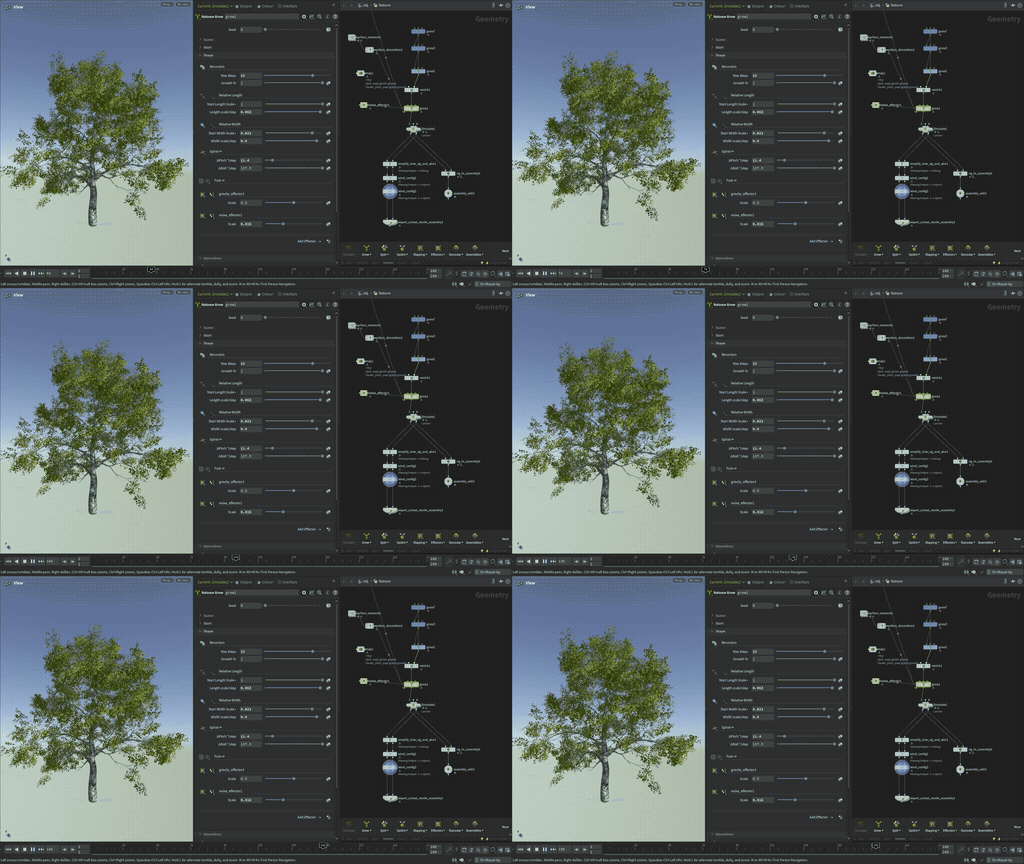
On the Simple Tree example, our current development build opens and cooks the scene in 13.6 seconds, against 40 seconds in 0.7.3, and regrows after an edit in 1.6 seconds, against 5. Most of it comes from three changes: nodes no longer reload unused definition data through temporary files when a scene opens, the growth graph is smaller and compiles faster, and branches no longer carry each other's inactive points through every growth step. Cooked trees are kept in a scene cache, and an edit recooks only the tree it changes.
- Core engineShipped in 0.7.0.3
Performance improvements
Speed-ups across the 0.7 line:
- 0.7.0.3: wrangles cook faster.
- 0.7.1: selecting a node in a scene with a thousand Natsura nodes went from 3.8 seconds to 0.6 seconds per click, and the Spans panel refreshes in milliseconds instead of more than a second.
- 0.7.4: Simple Tree opens and cooks in 24.7 seconds instead of 40, and regrows after an edit in 4.2 seconds instead of 5.0, with the same growth output as 0.7.3. These are the smaller speed-ups from the 0.8 growth engine work, brought back early.
- Core engineShipped in 0.7.4.0
Better upgrades from 0.5 and 0.6
Scenes made in 0.5 and 0.6 upgrade much closer to how they looked, carrying over more of their fork, prune and decoration settings. If an old scene does not come through well, send it to us.
- Core engineShipped in 0.7.1.0
Houdini 22 support
Natsura runs on Houdini 22, where before it failed to start without saying why. Setup still marks Houdini 22 as untested. See Installation.
- LicensingShipped
Education licences
Education licences for schools and universities, which also cover their students. Details on the pricing page.
Launched:October 2026
- LicensingShipped
Site licences
Site licences for studios, covering everyone at one location. Details on the pricing page.
Launched:October 2026
- Learning & ContentPlanned
Natsura Store
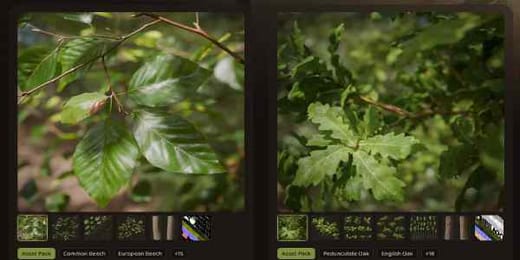
A store with content you can use in Natsura, starting with scanned tree packs.
Get started
Sign up for Natsura and start creating stunning foliage today
Join the Natsura community and join other artists and developers in the conversation.
“I workshopped something in Houdini. It worked enough for a release or two, but was never going to hold long-term, so that's how I found you guys eventually. Much easier.”

“Natsura's power comes from its ability to give artists full creative freedom over the final results. Leveraging a combination of simulated, procedural and manual artistic input has allowed us to get past the generative look that would otherwise hold us back on our quest to create truly photo-realistic natural environments.”

“I love Natsura's approach of combining simulation with parametric control - the developers are passionate and it shows in the product.”
 Jan Klasen, Co-Founder - Realbiomes
“Natsura is a groundbreaking new approach to an age old problem in video games and film- how do artists create non-cookie cutter realistic foliage that doesn't compromise. To me? Natsura is to technical artists what C was to programmers, and personally, I am excited to see it grow.”
“i love that we can make all kinds of trees with the tools”